For the team and management
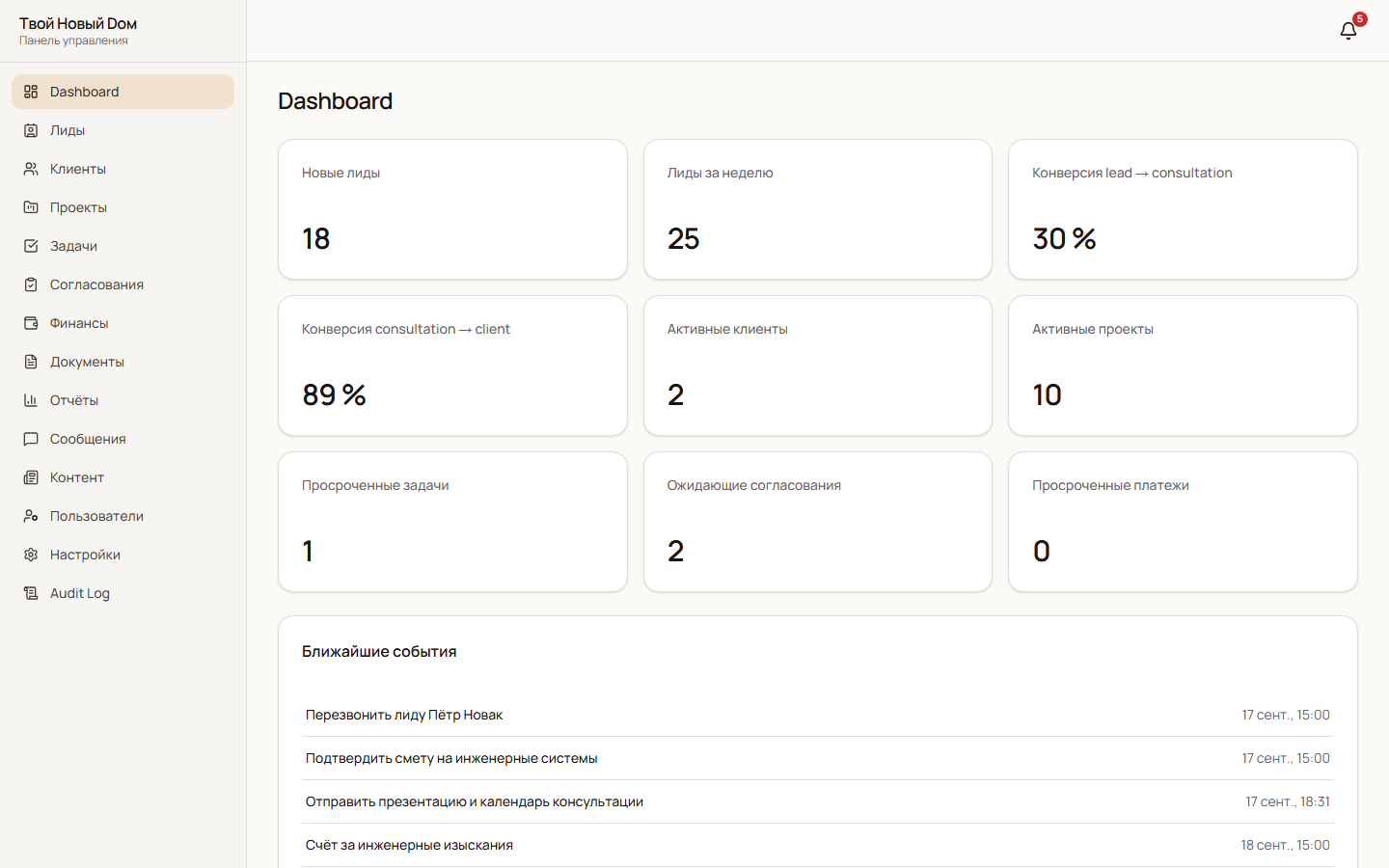
A CRM pipeline, assigned managers, projects, deadlines, tasks, approvals and payment status. One workspace makes the priorities visible.
BUSINESS PLATFORM / WEBSITE · CRM · CLIENT PORTAL
A family’s move. A new home. One connected system.
A digital platform for an operator managing family relocation, turnkey home construction and fit-out. The website brings in enquiries, the CRM supports the delivery team, and a personal workspace lets clients follow their own project.
 Enlarge screen ↗
01 / The purpose
Moving and building a home can take months, involving contractors, deadlines, estimates, payments, documents and many decisions. When information is scattered across chats and spreadsheets, managers struggle to see the whole picture and families struggle to know what happens next.
Tvoy Novyy Dom connects client acquisition with project delivery. Managers coordinate stages and tasks; clients follow progress and make decisions in their own workspace. A management view brings together enquiries, active projects and overdue actions.
Two connected workspaces
A CRM pipeline, assigned managers, projects, deadlines, tasks, approvals and payment status. One workspace makes the priorities visible.
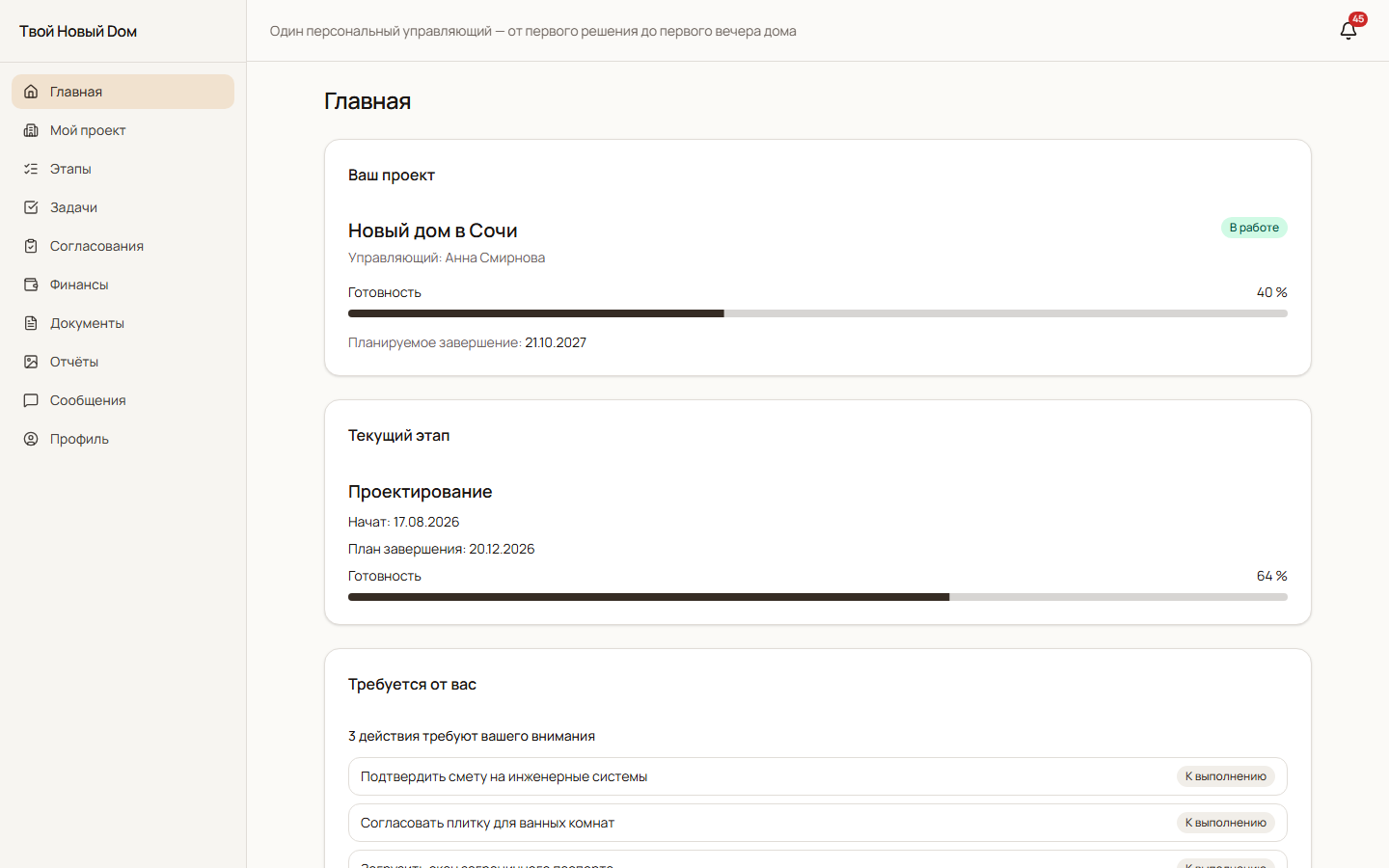
Their own project, current stage, documents, reports, budget and requests for a decision. A way to follow work remotely and return to the history of an agreement.
02 / A complete workflow
A visitor explores the service and submits a structured enquiry.
The team handles the lead, assigns a manager and turns the enquiry into a client project.
The project receives stages, deadlines, tasks and owners. Reports record progress.
The client reviews an estimate or document, approves it, rejects it or requests changes.
Progress, obligations, messages and decisions stay connected to the project.
03 / Inside the system
Nine practical groups cover the website, the team’s operations and the client experience.
Service pages, case studies, FAQs and a step-by-step enquiry flow connect the public presence with the team’s work.
Lead cards, pipeline stages, manager assignment and conversion from an enquiry to a client and project.
Project templates, roadmaps, deadlines, owners, progress and tasks that can be shared with the client.
The current stage, recent events and actions requiring attention. A clear view without piecing the project together from separate messages.
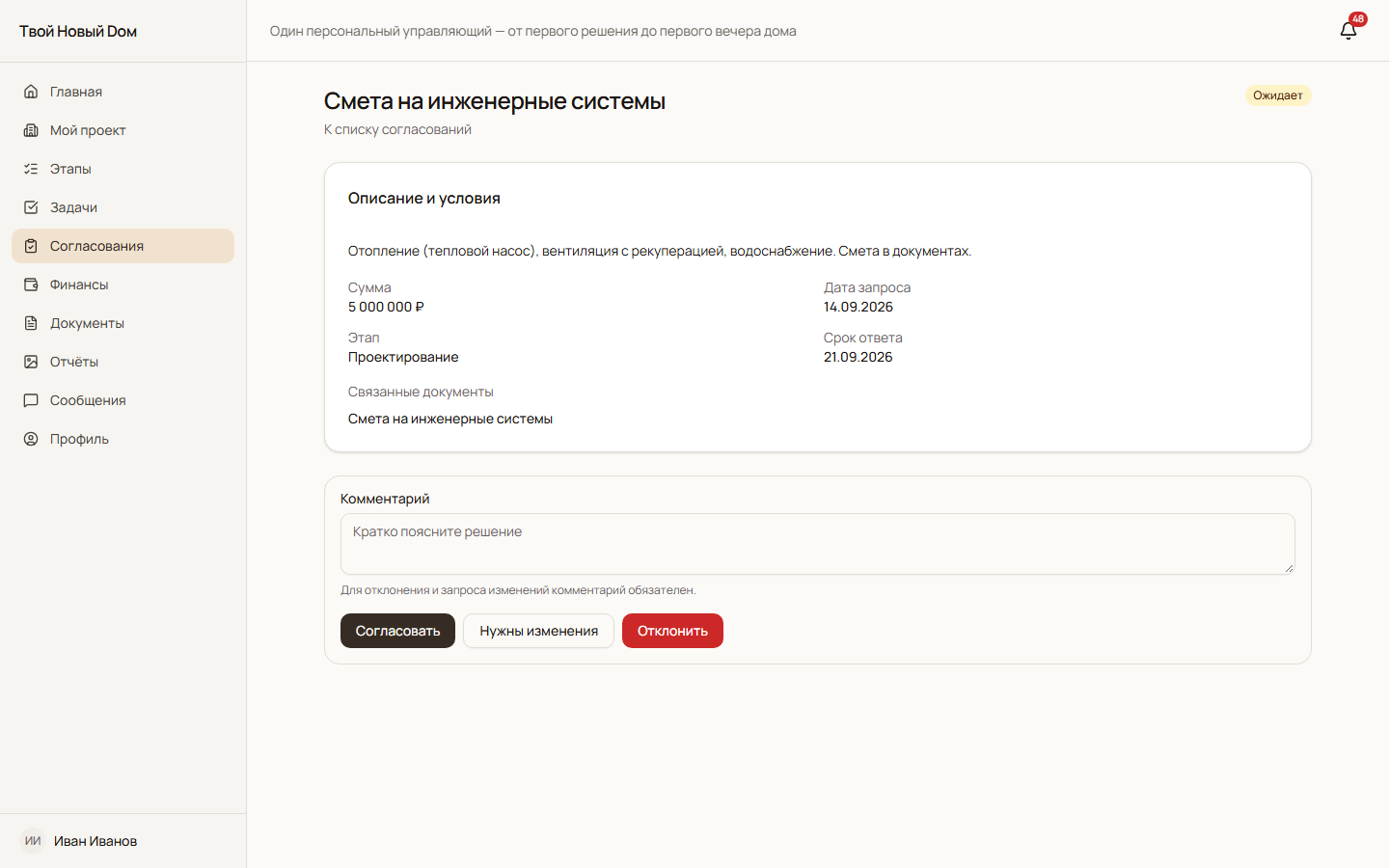
Requests connect to stages and documents. Clients select a decision and add an explanation, preserving the context of an agreement.
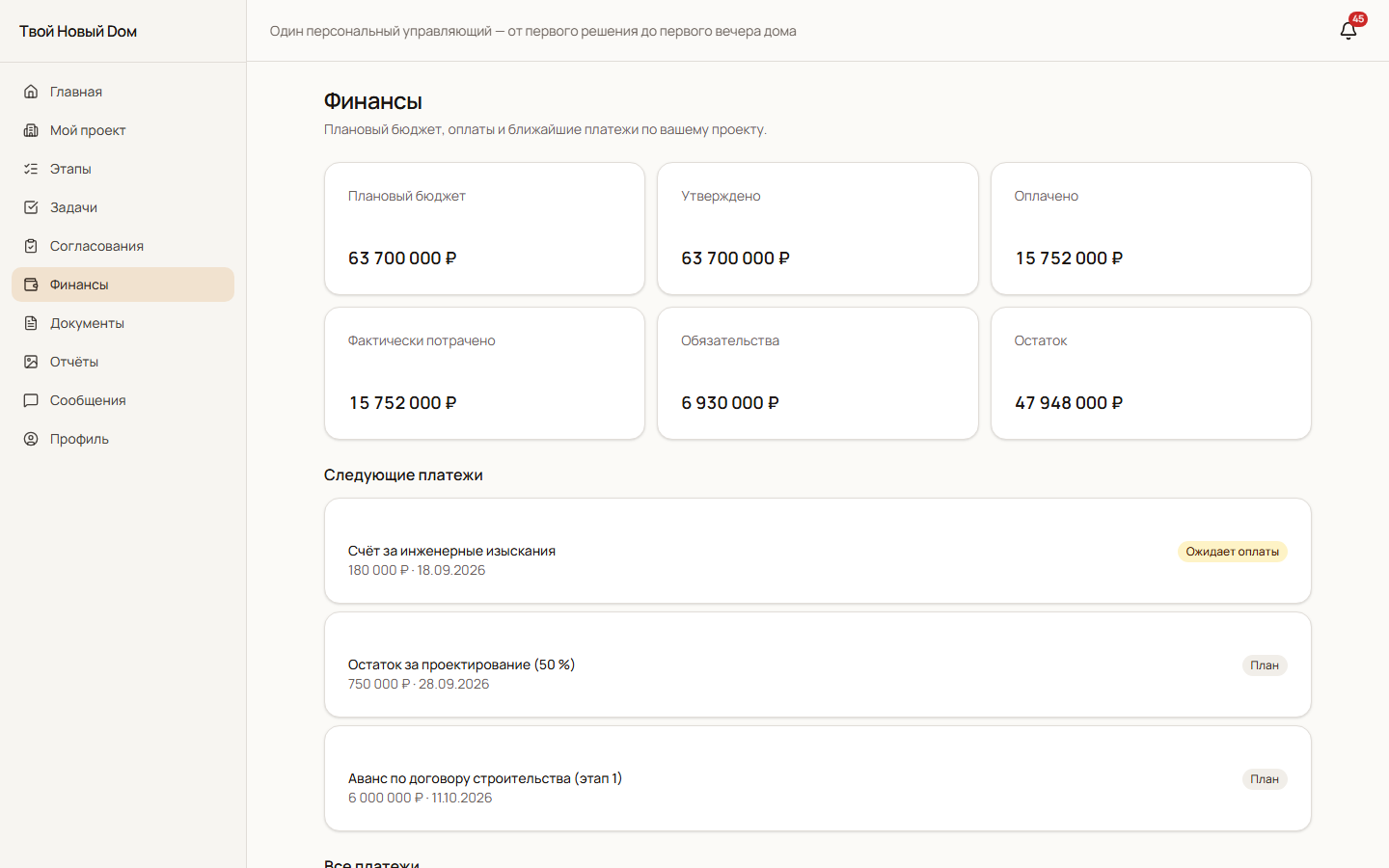
Planned and approved budgets, recorded payments, obligations and upcoming amounts. Financial visibility and record-keeping, rather than built-in payment processing.
Document categories, file versions and client visibility. Work reports build a record of delivery.
Client–manager discussions, message history and events around approvals and project changes.
Overview indicators, overdue actions, website content tools, staff roles and a record of important operations.
04 / Product walkthrough
Real interface captures. The records are synthetic examples. Click any screen to inspect it.
Enlarge screen ↗Lead and project indicators, pending approvals, overdue tasks and upcoming events.
 Enlarge screen ↗
Overall progress, the current stage and decisions waiting for the client.
 Enlarge screen ↗
Planned and approved amounts, recorded payments, obligations and the next scheduled payments.
 Enlarge screen ↗
The description, amount, reply deadline, related documents and three decision options with a comment.
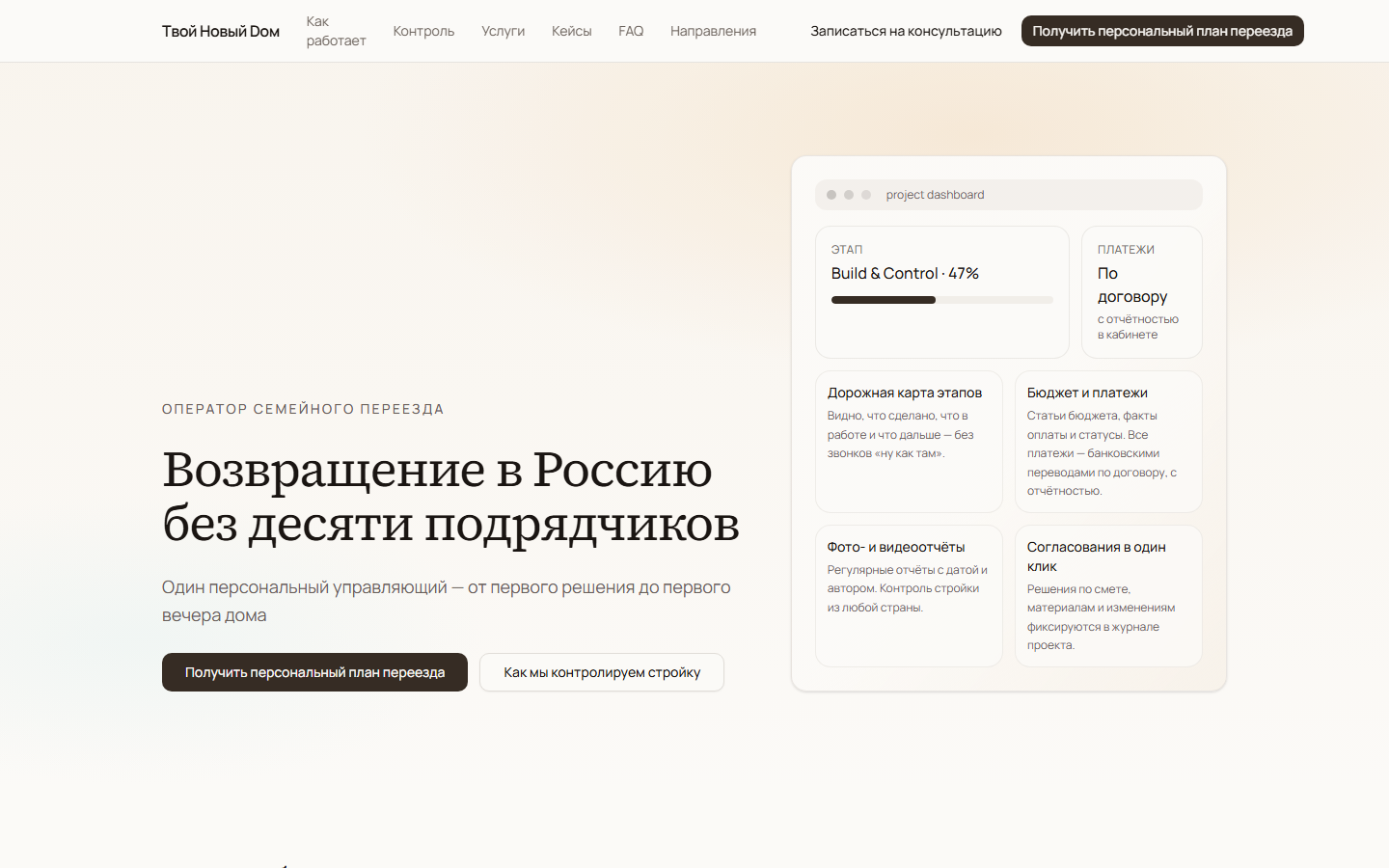 Enlarge screen ↗
Introduces the family-relocation service and leads into a request for a personal plan.
05 / The intended value
The platform is designed to reduce the search for information, clarify responsibility and the next action, and let clients follow a project and make decisions remotely. These describe its intended value; measured deployment outcomes are not claimed.
A SYSTEM FOR YOUR WORKFLOW